How to Design Custom, Branded Blocks for Your eLearning Courses
اقرأ بالعربية →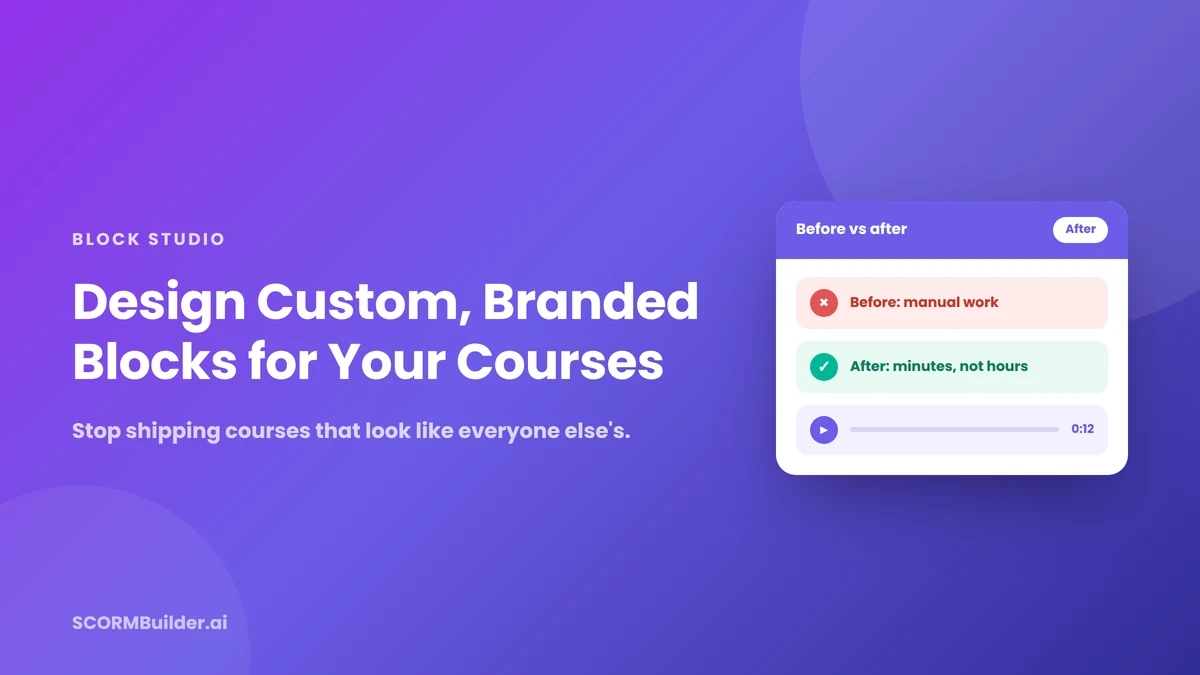
Open your last five courses side by side. Be honest: with the logos removed, could a learner tell them apart?
For most teams the answer is no—and it is not a reflection of your instructional design skill. It is the tools. Rapid authoring platforms hand every author the same fixed set of building blocks: a text block, an image block, an accordion, a quiz. They are fast and reliable, and they produce courses that look almost identical to every other course built with the same blocks. When everyone composes from the same kit, everyone lands in the same place.
That sameness carries a cost most L&D teams underestimate.
Learners pattern-match before they read
The moment a module looks like the last three mandatory trainings a learner clicked through, they mentally file it as “get it over with.” Disengaged learners do not retain. You can pour real effort into instructional strategy, then hand it to learners in packaging that signals “skip me”—and the strategy never gets a fair hearing.
The usual fix is to hire a visual designer, or to build custom graphics in a separate tool and paste them in as flat images. Those images then cannot be edited, do not scale across a course, and break your authoring workflow. Most instructional designers have neither the budget nor the time for that.
A different fix: design your own blocks
Instead of choosing from fixed blocks, imagine designing your own. That is what a free-form design canvas does. In SCORMBuilder, this is Block Studio: an open canvas built into the course editor where you work the way a designer would, but inside your authoring tool.
On the canvas you can:
- Place, resize, rotate, layer, and align any element with snap guides and multi-select
- Add shapes and icons that recolor to your brand palette
- Drop in images, crop them into clean circles for avatars, and add gradients or shadows
- Upload audio or generate narration, and embed video
- Format rich text for headings, emphasis, and body copy
Then you save the block and reuse it across every course. Build a coaching check-in card, a before-and-after comparison, a persona card for scenario-based learning, or a key-stat callout that stops the scroll—each in your colors and your style.
The same content can look completely different
The point is not to add more content. It is to present the content you already have in a way that respects the learner enough to earn their attention.
Take a simple before-and-after comparison. In a default block it is two lines of grey text and a paragraph. Rebuilt as a custom block, it becomes two colored cards—a red “before” and a green “after,” each with an icon—and an audio player beneath. Same words. Completely different feel. One reads as another compliance slide; the other reads as something made on purpose.
It still has to work in your LMS
Design freedom is worthless if the output does not run where your learners are. Blocks built in Block Studio export as part of a standards-compliant SCORM package that plays in Moodle, SCORM Cloud, and any SCORM 1.2 or 2004 LMS. Media is bundled into the package, so images, audio, and video play even offline—no broken links when a learner is on a train or behind a firewall.
Start from templates, not a blank canvas
A blank canvas is intimidating, so it helps to start from designed templates. Block Studio ships with dozens across categories like audio guides, stats and KPIs, comparisons, titles, callouts, quotes, process steps, and personas. Pick one, swap the text, colors, and images, and you have a branded block in minutes. Nothing is locked, and anything you build can be saved and reused.
The honest takeaway
Visual polish does not replace good instructional design—it never will. But it is the difference between your good design being seen and being skipped. Attention is the tax learners pay before any learning happens, and right now most courses hand them a reason not to pay it.
If your courses look like everyone else’s, that is not a verdict on your skill. It is a tooling problem—and tooling problems are fixable.
Try Block Studio in SCORMBuilder and make your next course look like yours.
Frequently Asked Questions
Why do most eLearning courses look the same?
Rapid authoring tools give every author the same fixed set of blocks—text, image, accordion, quiz—so courses built with the same tool tend to look nearly identical. The sameness is a limitation of the tool, not the author.
Can I design my own course blocks without a designer?
Yes. A free-form design canvas like Block Studio in SCORMBuilder lets you place shapes, icons, images, audio, and video on an open canvas, style them in your brand colors, and reuse them across courses—no design or coding skills required.
Do custom-designed blocks still work in my LMS?
Yes. Blocks export as part of a standards-compliant SCORM package that plays in Moodle, SCORM Cloud, and any SCORM 1.2 or 2004 LMS, with media bundled so it also plays offline.
Does visual design actually affect learning?
Visual polish does not replace good instructional design, but it affects whether learners engage in the first place. A course that looks intentional is more likely to hold attention, and attention is a prerequisite for retention.