What's Actually Inside a Rise 360 SCORM Package
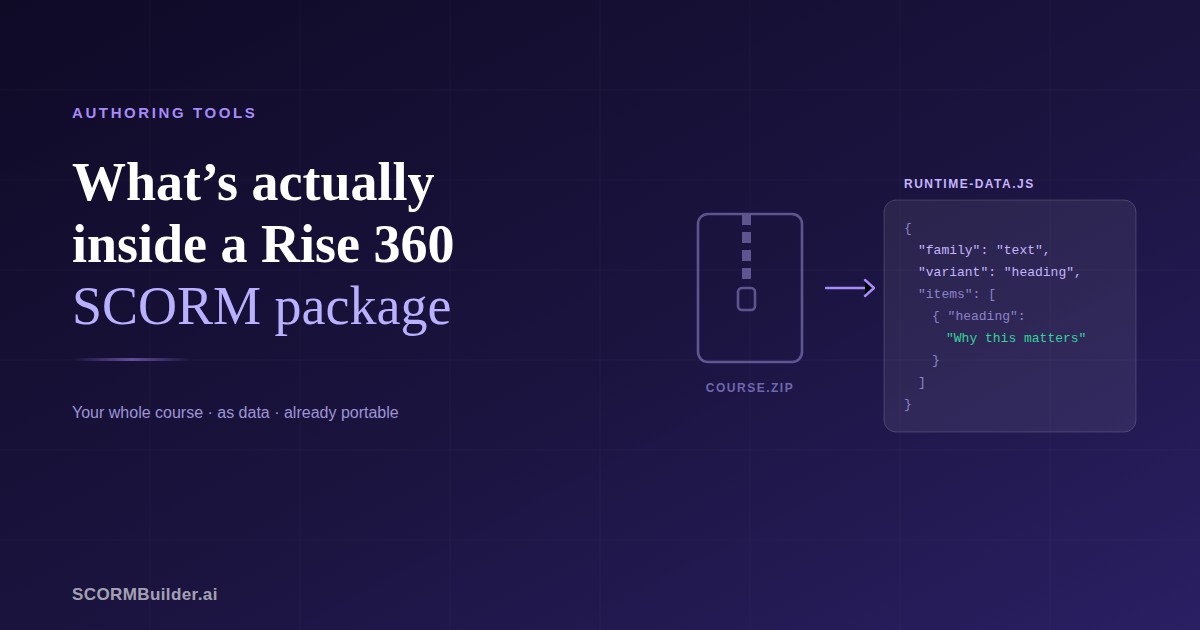
Every eLearning team that has used Rise 360 for a few years arrives at the same uncomfortable conversation.
Someone suggests moving to something cheaper. Everyone agrees the price has got steep. Then somebody counts the courses — forty, sixty, a hundred and ten — and the conversation ends, because rebuilding that by hand is a project nobody has time to run.
That calculation rests on an assumption worth checking. The assumption is that the courses are trapped. They are not, and the reason is sitting in a file you have already downloaded.
The file nobody opens
When you export a Rise course for your LMS, you get a zip. Inside it is the usual SCORM furniture — a manifest, some schema files, a folder called scormdriver that handles the LMS conversation — plus a folder called scormcontent where the course itself lives.
In that folder there is an index.html, an assets directory holding every image and video, and, in current exports, a file called runtime-data.js.
That last file is the whole course. Not a rendering of it, not a compiled bundle of it — the course, as data.
Open it and you will see something like this:
__jsonp("runtime-data.js","eyJjb3Vyc2UiOnsiZGVzY3JpcHRpb24iOi...")
That long string is base64. Decode it and you get JSON: a course object containing a lessons array, each lesson containing an items array, each item describing one block with a family, a type, a variant, and its content.
A paragraph block looks roughly like this:
{ "family": "text", "type": "text", "variant": "heading paragraph",
  "items": [ { "heading": "Why this matters",
               "paragraph": "<p>Adaptive leadership is…</p>" } ] }
An accordion carries its panels. A quiz carries its questions, its answer options, which one is correct, and the feedback written for each. A gallery carries its layout and a reference to every image. Nothing is compiled away.
Older packages, same data
If you export from an older Rise course you may not find runtime-data.js at all. Packages from around 2022 put the same payload inside index.html instead, as window.courseData, and some compress it with a small LZW library that ships alongside.
Different wrapper, identical structure inside. We checked a course exported in 2022 against one exported this year and the course.lessons[].items[] shape is the same in both, four years apart.
That consistency is the useful part. It means a course built years ago, by someone who has since left, in a version of Rise that no longer exists, is still readable.
Why this matters more than it sounds
Three situations come up repeatedly, and all three are solved by the same fact.
The author left and took the course with them. Rise courses live in a personal account. When someone leaves an organisation, their seat is reclaimed and everything they built goes with it unless it was explicitly transferred — which, in practice, it often was not. The published SCORM package sitting in your LMS is the only surviving copy, and it turns out to be enough.
The renewal is due and the price has moved. You are not weighing tool against tool. You are weighing tool against tool plus a migration project, and the migration is what makes the sum come out the way it does. If the migration is an afternoon instead of three months, it is a genuinely different decision.
You want a course in two places. Perhaps a partner organisation needs it in their own system, or you want a version to maintain separately. Copying it by hand means two diverging copies from day one.
What actually survives a move
Not everything, and it is worth being specific rather than hopeful.
Carries across cleanly: lesson structure and order, headings and paragraphs, images with their captions, galleries including their column layout, accordions, tabs, process steps, flashcards, timelines, sorting activities, labeled graphics with their marker positions, multiple choice and multiple response questions with per-answer feedback, fill-in-the-blank questions, and every video, audio file and attachment in the assets folder.
Carries across with a compromise: Rise’s large “impact” display text keeps its words but not its exact styling. A quote with a background image keeps the quote and the attribution, not the background. A quote carousel becomes a series of quotes.
Does not carry: charts, and Rise’s own custom block types. There is no equivalent, so the honest outcome is that the content is preserved as text and flagged for rebuilding.
And formatting inside paragraphs is a genuine trade. Rise stores paragraphs as HTML, so bold and italic are in the file — but most block-based editors escape HTML before rendering, meaning the markup would appear to learners as literal tags. Converting to plain text loses the emphasis. It is the right way round: re-bolding a word takes seconds, and cleaning tag soup out of three hundred blocks does not.
Why Storyline is a different story
The obvious next question is whether the same applies to Storyline. It does not, and the reason is structural rather than technical stubbornness.
A Rise course is blocks in a column. That is a simple shape, it survives being written down as data, and it maps onto other block-based tools because they are the same shape.
A Storyline course is a timeline with layers, states, triggers, variables and conditional logic, compiled into a player built to run exactly that. Any migration into a block-based editor would give you the text on the slides and lose everything that made the course worth building in Storyline in the first place — which is worse than starting over, because you would spend a day discovering it.
If your Storyline courses genuinely need those capabilities, you need a tool with a timeline. If they do not, they were probably Rise courses all along.
What to do with this
If you are staying with Rise, nothing. It is a good tool and this changes none of its merits.
If you are weighing a move, re-run the sum. The migration cost is the number that decided it last time, and that number was based on rebuilding by hand.
And if a course has gone missing with a departed colleague, check your LMS before writing it off. The package you uploaded contains more than you think.
We built an importer that reads exactly what this article describes — both package formats, including the older one. Import a Rise course and see what comes across.
Frequently Asked Questions
What is inside a Rise 360 SCORM package?
A folder of web files plus one file holding the entire course as structured data — every lesson, every block, every piece of text, and references to every image. In current exports it is scormcontent/runtime-data.js; in older ones it is embedded in scormcontent/index.html. Either way the data is base64-encoded, and decoding it gives you readable JSON describing the whole course.
Can you get your content back out of Rise 360?
Yes, and more completely than most people assume. The published SCORM package contains the full course structure as data, not as compiled code. That means the text, the lesson order, the quiz questions and answers, and the layout of every block can be read back out without access to your Rise account.
Do you need your Rise account to recover an old course?
Not if you still have the SCORM package you uploaded to your LMS. That matters when the person who built a course has left and their Rise seat went with them — the published zip is often all that survives, and it contains everything needed to reconstruct the course.
Why can Rise courses be migrated when Storyline courses cannot?
Shape. A Rise course is blocks stacked in a column, and that structure is preserved in the export as data. A Storyline course is a timeline with layers, states, triggers and variables, compiled into a player. There is nothing for that structure to map onto in a block-based tool, so a Storyline migration loses everything that made the course worth building in Storyline.
What is lost when a Rise course is moved to another tool?
Usually the styling rather than the content. Text, images, lesson order, quiz questions and answers, and most interactive blocks carry across. What tends not to survive is Rise-specific presentation — the exact look of its display-text blocks, background images behind quotes, and any block type with no equivalent elsewhere, such as its charts.