AI Quiz Generator: How to Create Quiz Questions From Your Own Content
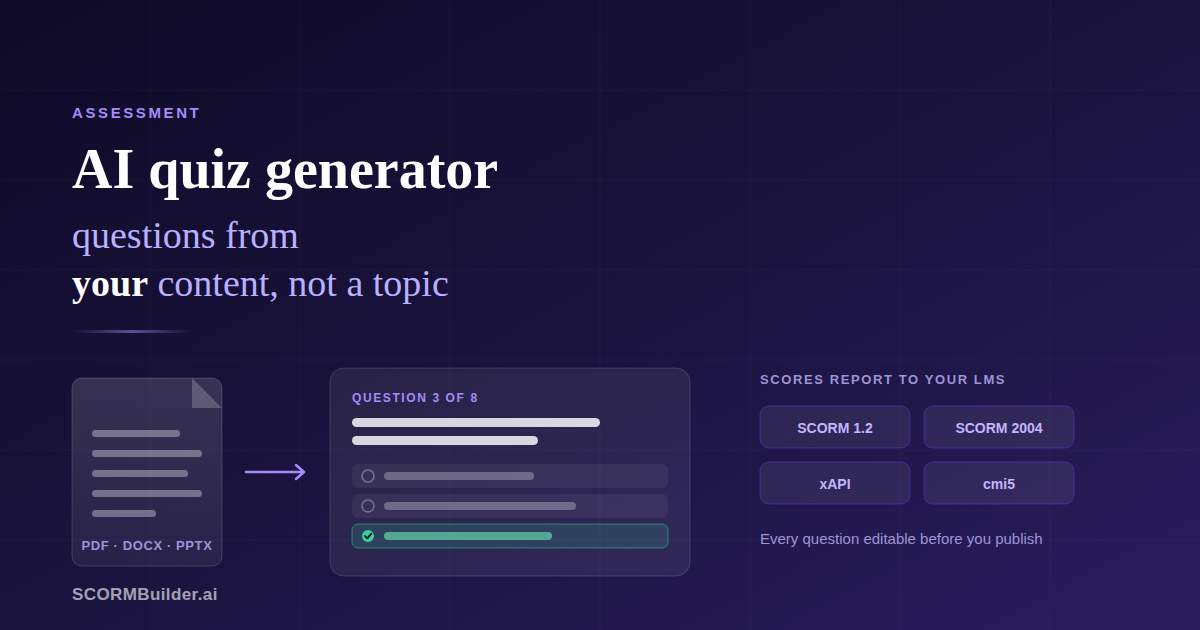
Writing quiz questions is the slowest part of building a course. Not the hardest — the slowest. You know the material, you know what matters, and yet each question takes ten minutes: phrase the stem, invent three wrong answers that are wrong but not obviously wrong, avoid accidentally hinting at the answer, and do it again forty times.
AI removes most of that time. But the tool you pick matters more than it looks, because most AI quiz generators solve a different problem than the one an instructional designer actually has.
The problem with most AI quiz generators
Type “AI quiz generator” into a search engine and you get dozens of tools. Nearly all of them work the same way: you give them a topic, they write questions about that topic.
That is fine for a trivia night. It is close to useless for training.
If you enter “fire safety” and the tool writes questions from general knowledge about fire safety, you get questions your learners can answer without having read your course. Worse, you get questions that contradict your course — because your organisation’s evacuation procedure is not the generic one the model learned from the internet. A learner who studied your material carefully can now fail your assessment for being right.
An assessment is only meaningful if it tests the material you taught. That means the source has to be your content, not a topic name.
The second problem is what comes out. Most standalone quiz tools produce a web page, a shareable link, or a PDF. None of those report a score to your LMS. If you need a completion record — and for compliance training you always do — a quiz that cannot report is not an assessment, it is a worksheet.
What generating from your own material looks like
The workflow that actually works is short:
- Give it the source. Paste the course text, or upload the PDF, Word document or PowerPoint deck the training is based on.
- Say how many questions and which types. Five for a knowledge check between modules; twenty for an end-of-course assessment.
- Read what comes back, fix what needs fixing, and delete anything weak.
- Export as SCORM so the score lands in your LMS alongside everything else.
The important step is the third one, and it is the one most people skip.
What separates a usable question from a plausible one
Generated questions fail in recognisable ways. Once you know the patterns you can spot them in seconds.
The giveaway distractor. Three options are detailed and one is obviously silly. Learners do not need to know the material to eliminate it, so the question tests nothing. Rewrite the weak option so that someone who skimmed the content might genuinely pick it.
The vocabulary question. It asks which word the material used, not whether the learner understood the idea. If the question could be answered with Ctrl+F rather than comprehension, it is testing search skills.
The orphan reference. Questions containing “according to the text” or “as mentioned above” assume the learner can see the material. In an LMS assessment they usually cannot, so the phrase is at best noise and at worst confusing.
The trivia trap. Dates, percentages and names are easy to generate questions about and rarely worth assessing. Ask why the deadline matters, not what the deadline is.
The two-correct-answers problem. Occasionally a generated single-answer question has two defensible answers. This is the one that generates support tickets, because the learner is right and the system says they are wrong. Read each question as though you were trying to argue with it.
None of this makes generation a bad idea. It makes review a required step rather than an optional one. Generating forty questions and editing eight of them is still a fraction of the time it takes to write forty from scratch.
Getting the score into your LMS
A quiz that does not report is a quiz you cannot act on. For the result to appear in your LMS the assessment has to be inside a package the LMS understands — SCORM 1.2 or SCORM 2004 for most systems, xAPI or cmi5 for newer ones.
Three settings decide what the LMS actually records:
- The pass mark, which determines whether the result is logged as passed or failed rather than just a percentage.
- Whether retakes are allowed, and whether a retake overwrites the first attempt or adds to it. For compliance, this is usually the difference between a defensible record and an argument.
- Whether the assessment gates completion, so the course is only marked complete once the learner has passed rather than merely reached the last page.
Get these wrong and the quiz still works perfectly for the learner while telling you nothing useful. It is worth uploading one course, taking the assessment deliberately badly, and checking that your LMS reports the failure. Most reporting problems are found this way and almost none are found by reading documentation.
What this costs
This is where the market splits oddly.
Standalone AI quiz tools are cheap — many are free — but produce a web quiz with no SCORM output, so they do not solve the LMS problem at all.
Full authoring suites do export SCORM, and several have added AI quiz generation, but they are priced as suites. iSpring Suite runs from roughly $720 a year, Articulate 360 from around $1,449. If quiz generation is the feature you actually need, you are buying a great deal of software to get it.
There is not much in between, which is where a browser-based authoring tool at $29 a month sits: AI generation from your own documents, full question editing, and SCORM export that reports to any LMS.
Try it on something real
The honest test of any quiz generator takes about ten minutes. Take a document you already teach from — a policy, a chapter, a deck — and generate ten questions from it.
Then read them as though you were a learner who studied properly. Could you answer them without the material? Are any of them arguable? Would you be comfortable failing someone on this?
That tells you more than any feature list.
Build a quiz from your own content — free for 14 days, no card required.
Frequently Asked Questions
What is an AI quiz generator?
A tool that writes quiz questions automatically instead of you drafting each one. The useful ones take your own material — a document, a deck, a piece of course text — and write questions from that. The less useful ones take only a topic name and write from general knowledge, which produces questions your learners could answer without ever reading your course.
Can AI generate quiz questions from a PDF or Word document?
Yes. Tools that accept a file upload extract the text and use it as the source. PDF, Word and PowerPoint are the common formats. The practical limit is length: a very long document will not fit in one request, so most tools use the first portion. If you are assessing a specific chapter, upload that chapter rather than the whole manual.
Are AI-generated quiz questions good enough to publish?
Treat them as a first draft, not a finished assessment. Generation reliably handles the slow, mechanical part — phrasing a question and writing three plausible wrong answers. What it cannot judge is which points in your material actually matter, or where your learners typically go wrong. Read every question before it goes near a learner.
Can an AI-generated quiz be exported as SCORM?
It depends entirely on the tool. Most standalone AI quiz generators produce a web quiz or a PDF, with no SCORM package and no score reporting. If the quiz needs to record pass or fail in an LMS, you need an authoring tool that generates the questions and exports SCORM 1.2, SCORM 2004, xAPI or cmi5.
How many questions should a knowledge check have?
Five to eight for a knowledge check inside a module, and fifteen to twenty-five for an end-of-course assessment where the result carries weight. More questions give a more reliable score, but attention drops sharply past about twenty-five. If you need certainty for compliance, a longer assessment with a defined pass mark is worth the extra length.
Does an AI quiz generator work in languages other than English?
The good ones write in whatever language the source material is in — feed it Spanish content and you get Spanish questions. Check the output with a native speaker before publishing, particularly for the wrong answers: a distractor that is grammatically odd gives the answer away, even to a learner who does not know the material.